05 — AI assistants
Ask your shop. Then have it do the setup.
Connect Claude or ChatGPT to SkySale and talk to your store in plain words — how last week went, who bought what — and hand it the fiddly jobs: adding staff, changing prices, closing on every holiday next year.
What you can say
Questions and jobs, in your own words.
- “How did we do last week?”
- Sales, returns and net figures for any period, who sold what, and what a customer has bought before — the same numbers your reports show.
- “Add Maya and Jo as sales staff.”
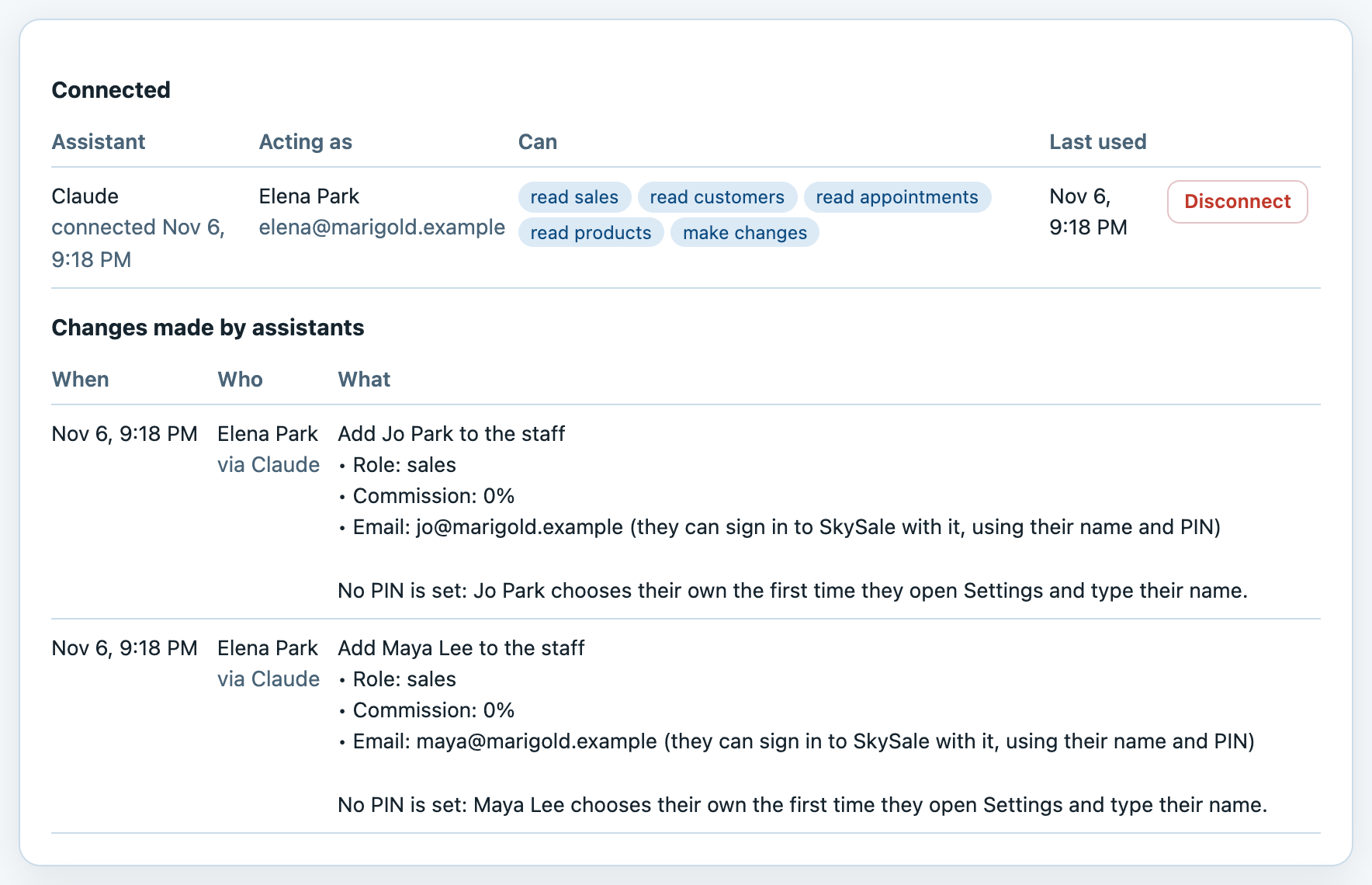
- New people go on the register with their own sign-in email. They choose their own PIN — no PIN ever passes through the assistant.
- “Close on every federal holiday in 2027.”
- It works out the dates and closes them in your calendar, so nothing can be booked — and tells you about any customer who's already booked on one of those days.
- “Put the serum up to $95.”
- Prices, lowest allowed prices, new products, what's on the register, opening hours, receipt details, tax rate, return windows, which emails and alerts are on.
What it can't do
The money stays where it is.
An assistant is a helper for setup and answers. Anything that touches money already taken, or what people are paid, stays in SkySale, done by a person with a PIN.
- No sales, refunds or payroll
- It can't ring up, edit or refund a sale, and can't touch payroll, pay, commission rates or paydays. It never sees a card number — not even the last four digits.
- Owners and managers only
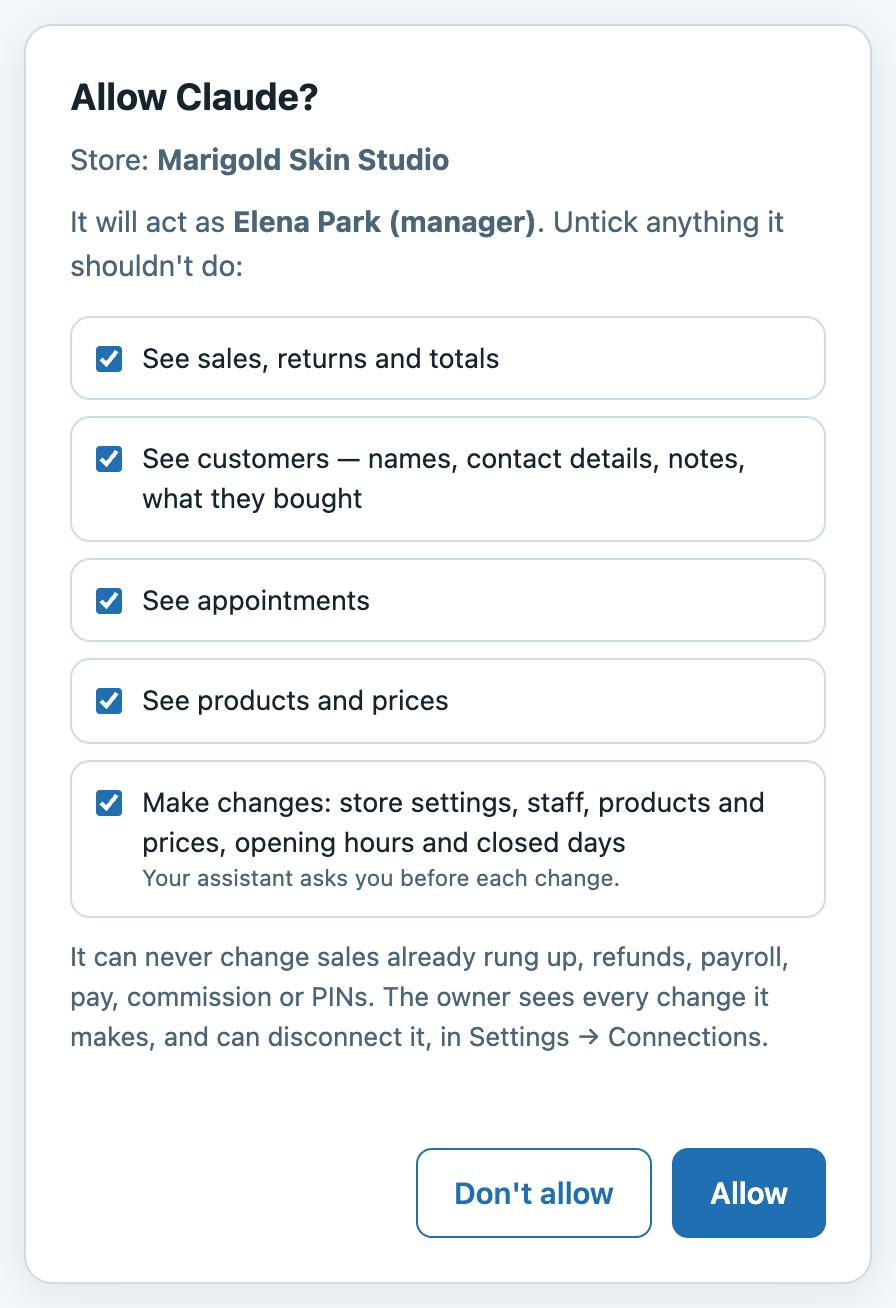
- Each person connects their own, and it acts as them — with exactly what they could do in Settings. A manager's assistant can't change the owner, make anyone an owner, or change its own person's role.
- It asks before it changes
- Claude and ChatGPT ask you before each change, and say afterwards exactly what was done.
- It stops when they do
- Deactivate someone, move them to sales, or disconnect their assistant, and it stops working on its very next request.
Connecting
Two minutes, once.
Add this address as a connector in your assistant:
https://app.sky-sale.com/mcp
- Claude
- Settings → Connectors → Add custom connector. Name it SkySale, paste the address, and press Connect. Works on claude.ai and in the desktop and phone apps.
- ChatGPT
- Settings → Apps & Connectors → create a connector (turn on Developer mode under Advanced if you don't see the option). Paste the address and choose OAuth.
- Then sign in
- A SkySale page opens. Enter your email — your own, or your store's sign-in email — and your name and PIN as you use them at the register, then the code we email you. Choose the store and what it may do. Done.
- Other AI tools and automations
- Anything that speaks MCP — Claude Code, Cursor, n8n — can connect the same way, or with a read-only key the owner makes in Settings → Connections, alongside webhooks for n8n, Zapier and Make.
Get in touch
Try it on your own shop.
Included with every SkySale subscription. You bring the Claude or ChatGPT account.